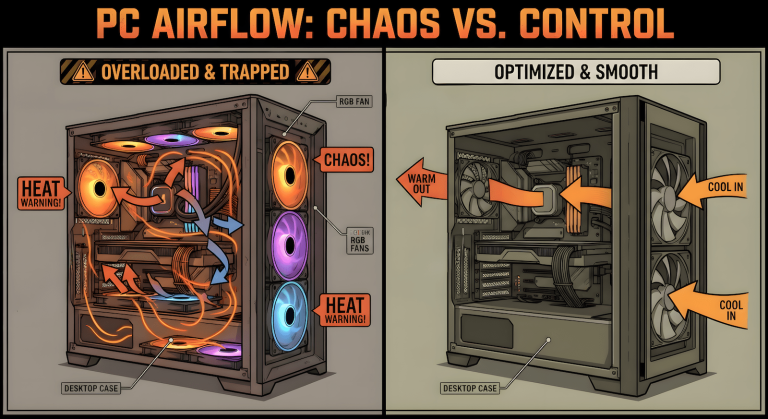
A sleeper PC build is the opposite of what most gaming PC guides tell you to buy. No glass panel, no RGB fan wall, nothing that screams “gaming rig” the second someone walks into the room. Just a case that looks unassuming or dated on the outside while running real hardware on the inside, and that’s exactly the point.
Back when PCs first hit consumer desks, the tower wasn’t even the star of the setup. The monitor was. The tower sat on the floor, took up space, and nobody thought twice about kicking it, knocking it over, or dragging it across the room during a move. Early 2000s cases were heavy steel boxes built to survive that kind of treatment. They’d bend, scratch, or dent, and they’d still run. The case protected what was inside it. That was the whole point of the design.
Then glass panels and RGB showed up, and the relationship flipped. Now the case is the fragile part. You baby it. You worry about scratching the glass, about a fan’s lighting going out, about whether the aesthetic still matches your setup a year later. None of that protects your components any better than a plain steel box does. If anything, it adds failure points that a $6 non-RGB fan simply doesn’t have.
A sleeper build brings back the original idea: durable, unbothered by how it looks, and still genuinely fast where it counts. It doesn’t mean cheap or outdated internals. It means the outside doesn’t have to announce what’s inside, and the money you’d have spent on lighting goes toward parts that actually move the needle on performance.
Some links on this page are Amazon affiliate links. If you choose to buy through them, HobbyEngineered may earn a small commission at no extra cost to you.
These links only appear where tools or everyday support items naturally fit the topic. No sponsored placements. No hype.
The RGB Tax Is Real, and It’s Not About the Fans Being Bad
Here’s something worth sitting with: a lot of fan manufacturers price their RGB and non-RGB versions of the exact same fan within a dollar or two of each other in multi-packs. That’s not generosity. If the gap were bigger, nobody would buy the RGB pack when a $10 LED strip does the same glow job across an entire case. Keeping the prices close removes that comparison from your head before you even think to make it.
Do the math per unit before you buy. A 5-pack that looks like a small savings over two 5-packs of the cheaper non-RGB version usually isn’t a savings at all once you divide it out, and pack sizes get inconsistent enough across sellers that the “cheaper” listing on the page isn’t always actually cheaper per fan. Don’t grab whatever’s marked as the top pick either. That placement reflects a platform’s ranking logic, not necessarily the best value on the page, and the better price is often sitting a few listings down once you actually scroll and compare.
None of this is really about RGB being bad. It’s about paying for it without realizing that’s what you’re doing. A fan with dead RGB lighting still spins exactly the same as the day you bought it, because the light and the motor are two separate things, and only one of them was ever doing the job.
Bleeding-Edge Doesn’t Mean Bottleneck-Free
A high-end GPU doesn’t guarantee high-end performance if the rest of the platform can’t keep up with it. Pair a flagship card with an underpowered PSU and you’re risking instability or shutdowns under load from power delivery that can’t handle transient spikes. Pair it with a motherboard that splits PCIe lanes across multiple NVMe slots, and that GPU slot can drop from x16 to x8 the moment you’ve got drives installed, which does cost real performance even if it’s a smaller hit than people assume.
None of the money spent on the flagship part converts to real performance if the platform around it can’t feed it properly. That’s the same instinct behind a smart GPU upgrade path in general, more power isn’t the win if it isn’t paired with the rest of the system correctly. Our guide to skipping GPU generations covers this same logic from the upgrade-timing angle, and it’s worth a read if you’re trying to figure out where your money actually does the most.
A sleeper build lives and dies on this balance. Balanced beats bleeding-edge, the same way a rugged steel case beat a fragile glass one. The point was never to look unimpressive on purpose. It’s to spend where it counts and skip what doesn’t.
The Standard a Sleeper Build Actually Has to Hit
Two things have to both be true, or it’s not a sleeper build. It has to look intentional, whether that’s aged to look retro, blacked-out and minimal, or built to pass as something that isn’t a PC at all. And it has to perform, meaning the internals are balanced enough to actually do the job you built it for. Miss the first one and you’ve got a boring PC that looks neglected instead of on purpose. Miss the second one and you’ve got a good-looking box that can’t back it up.
Everything below is picked with both of those in mind. Categories, not single products, because a specific case or fan pack going out of stock shouldn’t mean the whole guide stops being useful.
Pick Your Lane: Case
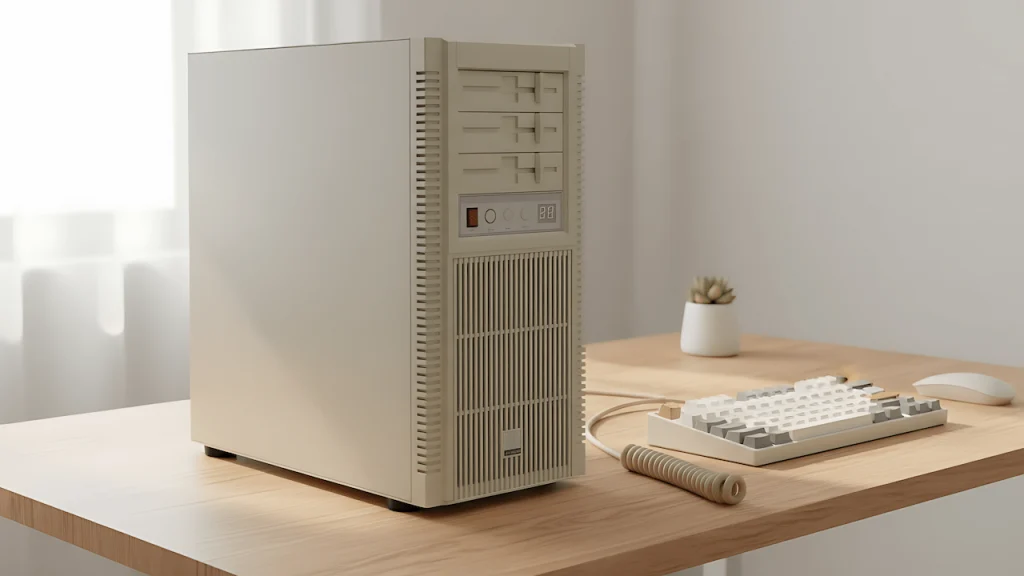
Retro / aged look. Cases with a boxy, dated silhouette give you the cleanest base for the beige-tower aesthetic a Retro-Style ATX Case and an Alternate Retro-Style Case whether you’re buying one that already leans that direction or aging a plain case yourself with primer and a plastic-safe spray paint.
Blackout / minimal look. A Solid-Panel Mesh Case with No window, no RGB, a mesh or geometric front panel that reads more like a piece of furniture than a PC. This is the lower-effort lane, no aging or modding required, just picking the right case and skipping the RGB fan bundle you can also check for an Alternate Minimal Case.
Related read: better airflow, not better fans if you’re weighing case ventilation before locking in a shell.
Pick Your Lane: Power and Board
Don’t cheap out here, this is exactly where a flashy build quietly falls apart. Get a PSU with enough headroom for your GPU’s actual power draw, not just its rated minimum, you need a Gold-Rated ATX PSU and an Alternate PSU Option, and check your motherboard’s PCIe lane allocation before you assume you’re getting full bandwidth to your GPU slot with multiple drives installed.
Full breakdown on getting this part right: PSU upgrade, smart or stupid.
Pick Your Lane: Fans
Skip the RGB multi-pack. A plain, non-RGB fan pack does the identical cooling job for less, and if you want some color anyway, a separate addressable LED strip gives you the glow for the whole case at once instead of paying a premium on every single fan.
Pick Your Lane: Keyboard
A retro-styled or typewriter-inspired mechanical keyboard ties the whole desk together without needing to match a specific case brand.
More on keeping a mechanical board running long-term: mechanical keyboard maintenance.
Pick Your Lane: The Small Stuff That Sells the Look
Coiled retro-style cables are a small detail that does a lot of work for authenticity. So is the aging process on the case itself, if you’re going that route, primer and plastic-safe spray paint are the two products that actually matter.
Quick Pick
If you’re only locking in one thing today, make it the case. Everything else (PSU, fans, keyboard) is swappable later without touching the build’s identity, but the case decides which lane you’re actually building in.
Comparison Table
| Category | Best For | Honest Take |
|---|---|---|
| Retro-Style Case | The aged/beige aesthetic, willing to DIY the finish | Widest customization range, needs the most hands-on work |
| Blackout Mesh Case | Lowest effort, still looks unassuming | No modding needed, fewer surprises out of the box |
| Gold-Rated PSU | Anyone pairing with a high-draw GPU | This is where bottlenecks actually happen, don’t skimp |
| Non-RGB Fan Pack | Anyone tired of paying the lighting tax | Same cooling performance, lower per-unit cost |
| Retro Mechanical Keyboard | Tying the desk aesthetic together | Works with either case lane, not case-dependent |
If You Want the Whole Desk to Match
The case is one piece of a full sleeper setup. For the desk itself, RemoteWorkHaven’s guide to desk pads and their home office lighting setup and audio setup guides cover the rest of the station without repeating anything here. Worth a look if you’re building out the whole desk, not just the tower under it.