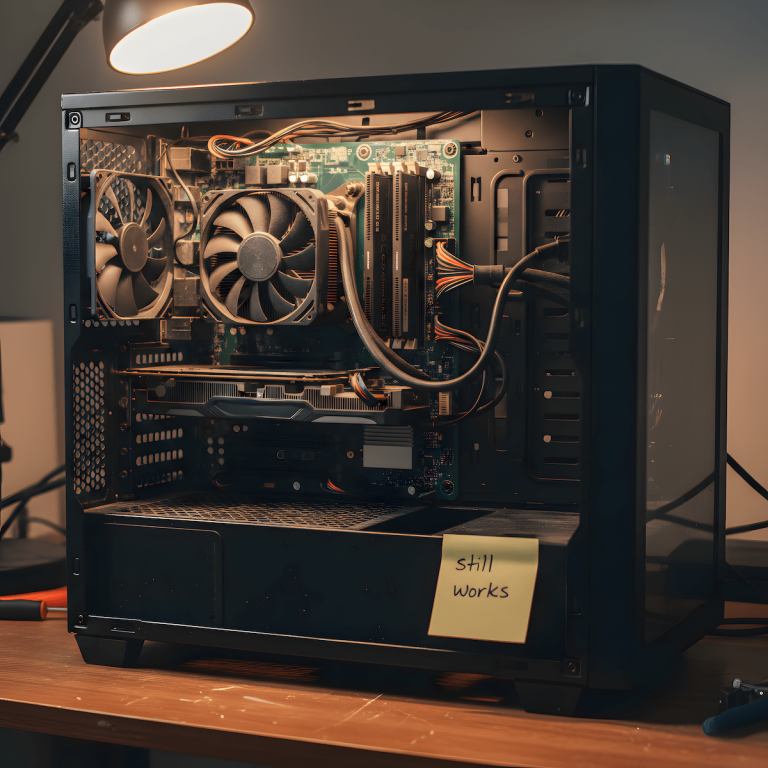
You’ve got a PC that already plays everything an Xbox does. So why does the console still keep showing up in your cart?
It’s not a dumb impulse. There are real reasons people with a perfectly capable gaming PC still end up buying an Xbox, and there are real reasons that urge is misplaced. This isn’t a “PC is objectively better” piece. Plenty of PC owners buy a console and don’t regret it for a second, and plenty of PC owners aren’t actually working with a gaming PC in the first place. I’ve been weighing an Xbox Series X myself for a while now, so this isn’t a hypothetical for me either, it’s a decision I still haven’t closed out. The point here is to figure out which camp you’re actually in before you spend anything.

Some links on this page are Amazon affiliate links. If you choose to buy through them, HobbyEngineered may earn a small commission at no extra cost to you.
These links only appear where tools or everyday support items naturally fit the topic. No sponsored placements. No hype.
What your PC already covers (if it’s actually a gaming PC)
Three things usually drive the “maybe I need an Xbox” thought, and a real gaming PC already answers two of them without a new purchase.
Exclusives. Xbox’s first-party output ships under Play Anywhere, meaning a Halo, Forza, or Fable release lands on PC the same day it lands on the console, with saves synced between the two. If the reason you’re eyeing an Xbox is “I want to play the new [studio] game,” check whether it’s a Play Anywhere title first. Most current first-party Xbox releases are.
The subscription library. Xbox Game Pass Ultimate runs natively on PC through the Xbox app, no console required, and it includes the same day-one first-party releases plus the EA Play catalog. If your actual goal is “access to a big rotating library of games,” that’s a subscription decision, not a hardware decision.
Controller feel. This one doesn’t need a console purchase either. Xbox’s own wireless controller connects to a PC over USB-C or Bluetooth and is recognized natively by Steam and the Xbox app, no third-party driver layer required. If you’ve been gaming on keyboard and mouse and just want the option of a controller for certain genres, this closes that gap completely.
We’ve also broken down the wider controller field, including non-Xbox options, in our best controller for PC gaming guide if you want the full comparison before picking one.
But if your “PC” is actually a work or study machine, this changes
Everything above assumes your PC can actually run the games you want. A lot of PCs can’t, and that’s not a knock on the owner, it’s just what the machine was built for.
My main desktop runs a GTX 1660. It handles what I play on it fine, but it’s not going to run something like Spider-Man at settings I’d actually want to look at, and that’s a few years old at this point, not even a current release. When I want to play something current, I’m reaching for a PS4 or thinking about a console purchase, not fighting my desktop into submission. That’s the honest version of “I have a PC” that a lot of people are actually working with: a machine that’s great for work, browsing, and older or lighter titles, but not built to touch new AAA releases.
If that’s your situation, the Xbox conversation isn’t “redundant purchase,” it’s a real fork:
- Upgrade the PC’s GPU to actually run current titles, which is a legitimate path but usually costs more than a console once you’re honest about what a current-gen card runs.
- Buy a console and let it be the machine that handles new AAA releases, while your desktop keeps doing what it already does well.
This is the fork I’m actually sitting on. An Xbox Series X, specifically the disc version, keeps coming up as the answer for me: it’s cheaper than building or buying a new gaming PC, and it cleanly separates gaming from the machine I use for work. I haven’t pulled the trigger yet, partly because the last time I set budget aside for a “second machine,” it turned into a Lenovo Legion 5 that’s now my daughter’s school laptop instead of my gaming rig. That’s the real risk with this fork: the money and the intent are there, but the actual purchase can drift toward whatever the household needs most at the time.
Neither path is the “smart” choice by default. It’s a straight cost and use-case comparison, not a loyalty test. We’ve covered the ceiling on lower-end cards specifically in getting more out of a GTX 1660 if you want to see how far the card you already have can actually stretch before you decide anything.
Where a console still earns its place
This is the part that gets skipped in most “just get a PC” arguments, and it’s dishonest to skip it, whether your PC is a gaming rig or not.
Shared or non-desk gaming. If the setup you’re solving for is a living room TV, a kid’s room, or a guest space where you don’t want to explain PC login screens and driver updates to whoever’s using it, a console is the simpler tool for that job, full stop. Disc-based Xbox Series X included, it boots straight to a controller-navigable interface and doesn’t need anyone to understand what a GPU driver is or better yet, you can get the Series S for a digital only version.
A genuine second, low-maintenance machine. Some people want a device that just works without the maintenance a PC eventually asks for. That’s a legitimate preference, not a knowledge gap, and it’s a big part of why the Series X still hasn’t dropped off my own list.
Couch play without moving your PC. If your PC lives at a desk and you want games on the living room TV, and it’s a machine that can actually run what you want to play, you don’t have to buy a console to solve this. A wireless keyboard-and-trackpad combo lets you drive your existing PC from the couch over a long HDMI run or a streaming app like Steam Link, which keeps everything on the hardware you already paid for.
We cover the multi-device version of this setup in more depth in building a multi-platform gaming setup, and if the actual goal is portability rather than couch play specifically, our best handheld game console roundup is the more relevant comparison.
Quick pick: start here
If you’re not sure which camp you’re in yet, start with the Xbox Wireless Controller. It’s the lowest-commitment purchase on this list, it solves the most common actual complaint (“I want a controller option”), and it doesn’t lock you into a decision the way a console purchase does.
If you already know your PC can’t touch current AAA titles, skip straight to the Xbox Series X. It’s the higher-leverage decision for that specific situation, and no amount of controller or subscription shopping changes what your GPU can render. It’s also the one I’m still weighing for exactly that reason.
Comparison table
| Product | What it actually solves | Honest take |
|---|---|---|
| Xbox Wireless Controller | Controller feel on PC | Native PC support, no console needed, cheapest way to test if you even want a controller |
| Xbox Game Pass Ultimate | Access to Xbox’s exclusive library | Subscription, not hardware — works on your existing PC through the Xbox app |
| Wireless Mini Keyboard with Trackpad | Couch play on a PC that can already run your games | Needs a long HDMI run or a streaming app like Steam Link, but keeps you on one machine |
| Xbox Series X (Disc) | Running current AAA titles when your PC can’t, or shared/non-desk gaming | The one I’m actively weighing myself — cheaper than a new gaming PC and keeps gaming off my work machine |
| Xbox Series S | Same use case, lower upfront cost | Worth it over the X if disc support and 4K output don’t matter to whoever’s using it |
The actual decision
If your PC can already run what you want to play, the Xbox itch is usually a controller and a subscription, not a new box. If your PC is a work or study machine that happens to also run games, and the games you actually want are current AAA releases, the math flips, and a console stops being redundant and starts being the more direct answer. That’s the fork I’m still sitting on with the Series X, cheaper than a new PC, keeps work and gaming separate, and the only thing actually stopping me is that the last “second machine” budget I set aside ended up going to my daughter’s school laptop instead. Figure out which PC you actually have, and what your own budget actually tends to drift toward, before you decide which side of this you’re on.
If you’re building or upgrading the PC side of this equation, our gaming PC vs prebuilt breakdown covers the other half of the decision.