Most “best handheld” posts sell you a spec sheet, screen size, battery life, weight in grams, and none of it tells you which one is going to annoy you six weeks in. I’m a PC guy first, full stop, my whole setup is built around that, consoles are a distant second, and phones are the actual longshot, the “something to kill time while lining up for errands” category, nothing more. Handhelds sit in the gap between console and phone, which is exactly why I went in skeptical instead of already sold. Real hands-on time with three of these four, a colleague’s Steam Deck, a colleague’s ROG Xbox Ally, my nephew’s Switch 2, and store-floor time with the fourth, Legion Go. Here’s what actually held up, and what didn’t.
Some links on this page are Amazon affiliate links. If you choose to buy through them, HobbyEngineered may earn a small commission at no extra cost to you.
These links only appear where tools or everyday support items naturally fit the topic. No sponsored placements. No hype.
What Actually Separates These Four
They all get lumped into “handheld gaming device” like it’s one category, it isn’t. The Switch 2 is a console first that happens to be portable, the Deck and Ally are mini computers you hold like a controller, and the Legion Go is that same mini-computer idea scaled up with a party trick. That distinction matters more than any spec on the box, because a mini computer comes with mini-computer problems, small screens running full desktop software, controllers that take real adjustment, battery that drains differently under Windows than under a closed console OS. Know which category you’re actually buying into before the screen size or the exclusives list even come into it.
| Device | Category | Key spec | Honest take |
|---|---|---|---|
| Steam Deck OLED | Mini computer, Valve’s own OS | 7.4in OLED, 1000-nit HDR | Best if you’re already on Steam, controls take getting used to |
| ROG Xbox Ally | Mini computer, full Windows | 7in 1080p 120Hz touchscreen | Better controls than Deck, screen too small for full Windows |
| Lenovo Legion Go | Mini computer, scaled up | Detachable controllers, largest screen | Bigger Ally with a real party trick |
| Nintendo Switch 2 | Console first, portable second | Hybrid TV/tabletop/handheld, 7.9in LCD | Most flexible, a non-event if you already own a Switch |
Steam Deck: Best If You Already Have a Steam Library
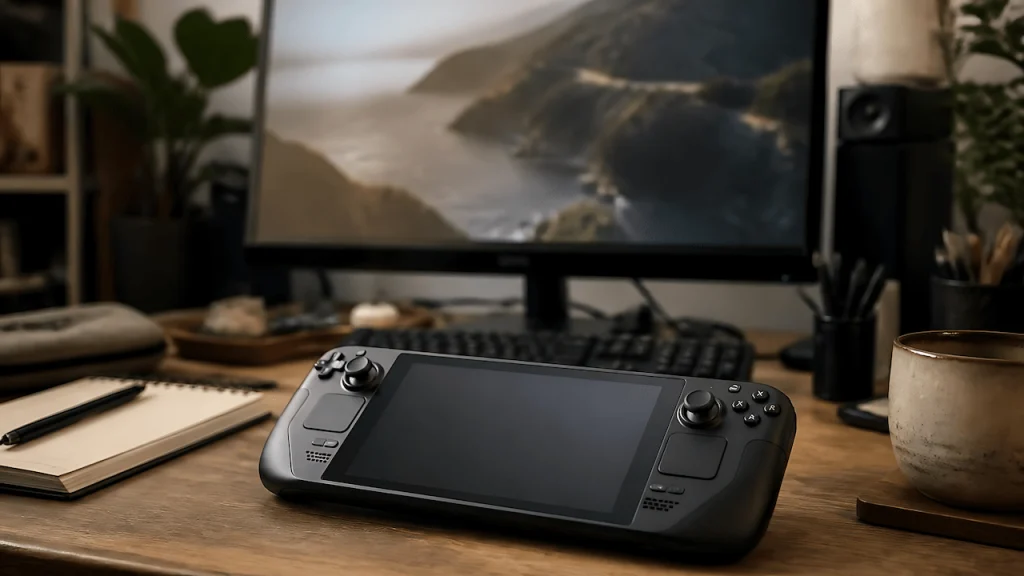
Steam Deck OLED – This is the one I actually tried first, and not by accident, I’d already wishlisted it on Steam around the same time I started building up a library there instead of buying discs. Carrying that library around instead of lugging a gaming laptop everywhere was an easy plus one. What knocked it back down half a point: I already struggle with controllers in general, and the Deck’s layout took real time to get used to, more than I expected going in. The games I played on the borrowed unit weren’t ones I’d normally touch, but that’s not on the device, that’s just not my library.
ROG Xbox Ally: Best If You’re Game Pass or Multi-Launcher First
Asus ROG Xbox Ally – ASUS partnered with Xbox on this one, so it runs Game Pass, Steam, Epic, any Windows game natively, not locked to one storefront the way the Deck is. Coming off the Deck, the controls felt better to me, more natural to hold. What killed it was the screen, Windows on something that small feels like carrying a mini laptop, or like I’d gone back twenty years running Windows Mobile on an old XDA with a stylus and a squint. If you’re going to run full Windows, you want either a real laptop screen or the Deck’s approach of hiding that under its own interface instead.
Lenovo Legion Go: Best for Couch and Tabletop Play
Lenovo Legion Go – Store-floor time only, and my first read was “bigger Ally,” same mini-computer feel, just scaled up. The one thing that actually stood out: the controllers detach the way the Switch’s do, none of the others properly copy that. That’s the whole reason to pick this over the Ally if the screen size bothered you the same way it bothered me.
Nintendo Switch 2: Best If You Want One Device for Everything
Nintendo Switch 2 – It’s a hybrid, not just a handheld, docks to your TV, stands up on a table, or plays in your hands, no configuration required to switch between the three. The exclusives library, Mario, Zelda, Pokémon, Donkey Kong, doesn’t exist anywhere else, which matters if you’re buying for a household with more than one player. I already had time on the original Switch, so the 2 didn’t feel like anything new to me, same unit, just a newer version, the same way a new PS or Xbox generation is still fundamentally the console you already know how to use. If you skipped the first Switch entirely, that “nothing new” feeling won’t apply to you, but coming from the original, don’t expect a different experience, just a better one.
The Bottom Line
None of these pulled me away from my PC, and that’s honestly the most useful data point I can give you. Don’t get me wrong, these are all genuinely great devices, I wouldn’t have spent real time on four of them if they weren’t. But I’m used to multiple monitors at my desk and a big screen for console, so given the choice, I’d rather be playing on something bigger than a 7-inch panel every time. That said, there’s one advantage none of these get enough credit for: if working, playing, or watching something on your phone in the bathroom is already your thing, you’re going to love these, I can already picture my bathroom trips getting a lot longer with one of these in hand instead of a phone. If you’re on the fence the way I was, weigh it against what actually annoyed or won me over above, not a stranger’s 8-device ranking with no skin in the game.
See all four picks side by side in my Amazon Idea List with notes on what I’d actually buy again.