Some links on this page are Amazon affiliate links. If you choose to buy through them, HobbyEngineered may earn a small commission at no extra cost to you.
These links only appear where tools or everyday support items naturally fit the topic. No sponsored placements. No hype.
Most gaming PC build guides either assume you want to chase benchmarks or pad the list with parts that look impressive on paper but don’t justify the cost for how you actually game. This guide covers the best gaming pc builds across three real budget tiers, with the reasoning behind each pick so you can adapt the list to what’s available when you buy rather than treating it as a fixed shopping cart.
The tier structure is based on what you’re actually trying to run, not arbitrary price brackets. 1080p high settings, 1440p high refresh rate, and 4K capable are three different machines with three different component priorities. Pick the tier that matches your monitor and your gaming habits, not the one that sounds most impressive.
What Your Budget Actually Gets You
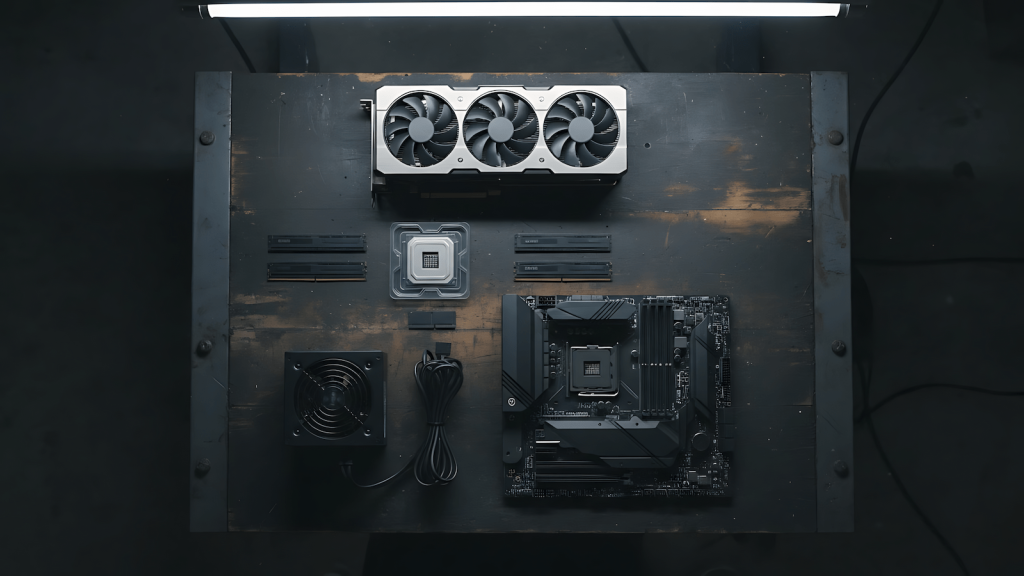
The honest version of gaming PC tiers works like this: below $800 you’re targeting 1080p at high settings on most current titles, and that’s a perfectly capable machine for a large share of the game library. Around $1,200 you’re buying 1440p at high refresh rates, which is where the majority of serious PC gamers actually sit. Above $2,000 you’re paying for 4K capability and headroom, and the component choices reflect that shift in priority.
The GPU is the most important decision in any gaming build. It determines what resolution and settings you can sustain, and it’s also the component where most of the tier cost lives. Everything else in the build exists to keep the GPU fed and running without becoming a bottleneck. CPU, RAM, storage, PSU, and cooling all matter, but none of them move your frame rate the way the GPU does. Buy the best GPU your budget allows, then fill in the rest at a reasonable mid-tier spec.
One thing to understand before looking at any parts list: the gaming hardware market shifts. GPU availability and pricing change with generations and supply. The picks below are current recommendations, but the engineering logic behind them stays consistent even when specific models rotate.
The Best Gaming PC Builds Under $800 (1080p Tier)
A sub-$800 build targeting 1080p is not a compromise machine. It’s a machine calibrated for a specific target, and at 1080p high settings on titles like Elden Ring, Helldivers 2, and most multiplayer shooters, the hardware below does the job without asking you to lower settings constantly.
The GPU anchor at this tier is the RTX 4060 or RX 7600. Both cards handle 1080p well, both are widely available, and both sit at a price point that leaves enough budget for a solid supporting cast. The RTX 4060 brings DLSS 3 support, which is genuinely useful for pushing performance on supported titles. The RX 7600 trades DLSS for a competitive rasterization performance-per-dollar ratio. Either works.
| Component | Pick | Note |
|---|---|---|
| GPU | RTX 4060 or RX 7600 | Core decision for this tier |
| CPU | Ryzen 5 7600 or Intel i5-13400F | Either feeds this GPU without bottlenecking |
| RAM | 16GB DDR5 dual channel | Minimum for modern titles |
| Storage | 1TB NVMe Gen3 or Gen4 | Fast enough; Gen4 not required here |
| PSU | 550W 80+ Bronze or Gold | Right-sized for this GPU tier |
| Case | Any mesh front ATX | Airflow first |
What this build runs: 1080p high settings on most current titles, 1080p ultra on older or less demanding games, and competitive multiplayer titles at high refresh rates if you’re willing to dial back some settings. What it doesn’t do: 1440p gaming without significant setting reductions, and ray tracing at any meaningful quality level. If you’re gaming on a 1080p monitor, this is the build. If you already have a 1440p monitor, move up a tier.
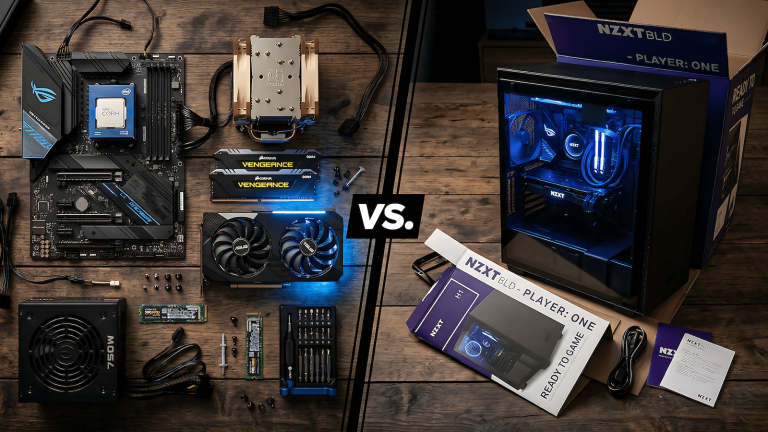
If you’re weighing whether to build this yourself or buy a prebuilt at a similar price, the tradeoffs between those two paths are covered in detail in the Gaming PC vs Prebuilt guide.
The Best Gaming PC Build Around $1,200 (1440p Tier)
The 1440p tier is where most gaming PC builds should land for anyone planning to keep the machine for three or more years. The GPU headroom means you’re not immediately hitting the wall on newer titles, the hardware supports high refresh rate monitors properly, and the platform has upgrade runway. This is the best gaming pc build for most people who game regularly and want a machine that doesn’t require constant compromise.
The GPU decision at this tier comes down to two legitimate options depending on your priorities.
Option A: RTX 5070 (gaming first) The RTX 5070 is the current generation sweet spot for 1440p. DLSS 4 with Multi Frame Generation, strong rasterization performance, and 12GB GDDR7. If you’re buying new hardware and gaming is the primary use, this is the straightforward call. It also handles local AI workloads with Ollama if that’s ever relevant to you, since the 12GB VRAM covers the practical model stack for 2026.
Option B: Used RTX 3080 10GB (value first) The RTX 3080 at 1440p still produces strong results, and on the used market it sits at a price that frees up $250 to $300 in budget. The 10GB VRAM is tighter than ideal for some newer titles at 1440p ultra settings, but for the majority of the game library it performs well. If gaming performance matters equally alongside budget, the used 3080 is a legitimate call.
| Component | Pick |
|---|---|
| GPU | RTX 5070 (new) or RTX 3080 10GB (used) |
| CPU | Ryzen 7 7700 or i5-13600K |
| RAM | 32GB DDR5 dual channel |
| Storage | 1TB NVMe Gen4 |
| PSU | 750W 80+ Gold |
| Case | Mesh front ATX, full GPU clearance |
Understanding when to upgrade the GPU and when to hold is a real decision this tier will eventually face. The GPU generation skipping guide covers that logic in detail and is worth reading before you commit to either option here.
The Best Gaming PC Build for $2,000+ (4K Tier)
At this tier the machine stops asking whether it can run something and starts running everything. 4K gaming requires significantly more GPU headroom than 1440p, and the component choices below reflect that. The PSU sizes up, the storage expands, and the CPU earns a higher core count because the rest of the system is doing more simultaneous work.
The GPU at this tier is the RTX 5080 16GB. Not the 5090. The 5090’s price premium over the 5080 is not justified for gaming unless you’re targeting the absolute ceiling of 4K performance or you’re also running heavy local AI inference workloads alongside gaming. For 4K gaming as the primary target, the 5080 is where the engineering lands.
| Component | Pick |
|---|---|
| GPU | RTX 5080 16GB |
| CPU | Ryzen 7 7800X3D or i7-13700K |
| RAM | 32GB DDR5 6000MHz dual channel |
| Storage | 2TB NVMe Gen4 |
| PSU | 850W 80+ Gold |
| Case | High-airflow mesh ATX |
What this build does: 4K at high to ultra settings on current titles, sustained performance over time without thermal throttling, and enough GPU headroom that it doesn’t feel outdated when the next generation of titles releases. It’s also a machine that handles everything else you run alongside gaming without the system fighting itself. The Ryzen 7800X3D specifically earns its place here because its 3D V-Cache architecture produces genuinely better gaming performance than the spec sheet suggests, particularly in CPU-intensive titles at 4K where the GPU is no longer the sole bottleneck.
Components That Actually Move the Needle
Most advice about PC building treats every component as equally important. It isn’t. The GPU is the dominant variable in gaming performance. The CPU matters, but at equivalent GPU tiers, a mid-range CPU produces nearly identical gaming frame rates to a high-end one. RAM speed matters more at 1440p and 4K because the GPU is processing more data per frame and the memory bandwidth becomes relevant. Storage speed affects load times but not in-game frame rates once assets are loaded.
The practical priority order for any gaming build is GPU, then RAM capacity and speed, then CPU, then storage, then everything else. If you’re trimming budget somewhere, trim the CPU and storage before touching the GPU. A stronger GPU in the same budget consistently produces better gaming results than a weaker GPU paired with a premium CPU.
Cooling matters because sustained gaming workloads run hot. Getting the thermal setup right matters more than most guides admit. Proper case airflow is a higher priority than adding more fans, and the PSU sizing matters for stability under sustained load. The PSU upgrade logic is worth reading before finalizing any build at any tier.
Cooling for Gaming: What You Actually Need
Cooling gets overcomplicated because there is a lot of content built around selling you an AIO. The reality is simpler. A stock cooler ships with most AMD Ryzen CPUs for a reason: it handles the rated TDP of that CPU under normal operating conditions. If your build is using a stock cooler and your CPU hits 95 to 100 degrees under a burst load, that is expected behavior, not a crisis. Thermal throttling exists precisely to protect the chip when temps spike, and a brief burst to high temps during a heavy load is not the same as sustained high temps over hours.
The scenario that actually warrants better cooling is sustained heavy load with no relief: long gaming sessions, rendering jobs running overnight, or workloads that keep the CPU pegged without pause. For gaming specifically, the CPU load is rarely the sustained stress point. The GPU runs harder and longer during a gaming session than the CPU does. A quality tower air cooler handles everything a gaming build demands without introducing the failure point that AIO liquid cooling brings.
The Thermalright Peerless Assassin 120 SE covers every build in this guide at any tier. It outperforms most AIOs in sustained cooling tests, costs a fraction of a 240mm liquid cooler, and does not have a pump that can fail three years in. If you are not overclocking, which none of these builds require, an AIO buys you nothing except a higher parts cost and a moving part with a finite lifespan. Case airflow setup matters more than the cooler itself, and how you configure your fans makes a bigger difference than upgrading to liquid cooling.
There is one variable no cooler controls: the room. A PC that hits high temps and disperses that heat into the space around it is working correctly. The case fans pull cool air in and push warm air out, and if you can feel warmth coming off the exhaust, the system is doing its job. The problem is when that dispersed heat has nowhere to go. A small enclosed room with no airflow and a machine running for hours raises the ambient temperature, and a warmer room means the intake fans are pulling in warmer air. At that point the cooler is fighting a losing battle regardless of how good it is. This is not a hardware problem. It is a room problem. A desk fan pointed at an open window, a door left open, or even just a gap in the room ventilation changes the thermal equation more than upgrading from a tower air cooler to a 360mm AIO ever would.
Where to Source These Parts
Amazon, Newegg, and Micro Center are the standard options depending on where you’re buying. Micro Center is worth checking specifically for CPU and motherboard combinations since their in-store bundle pricing on those two components consistently beats online retail.
For the GPU at every tier, sourcing patience pays off. New generation launches create price movement on the previous tier, and availability normalizes within a few months. If the specific card listed above is overpriced or hard to find at the time you’re building, the tier logic still holds: buy the strongest GPU your budget allows at that moment and fill the rest of the build at mid-tier spec. The component names in the tables are exact model references, not categories, so searching by the full name gives you accurate pricing and availability wherever you’re comparing.
What to Skip at Every Budget
RGB components add cost and add nothing to frame rates. If the budget is tight and you’re choosing between RGB RAM and standard RAM at the same speed spec, take the standard RAM and put the difference toward a GPU tier upgrade. RGB is fine when the rest of the build is already where it needs to be. It’s a bad place to spend when the GPU is still one tier below where it should be.
AIO liquid cooling on CPU is unnecessary for gaming workloads at the $800 and $1,200 tiers. A quality tower air cooler handles the CPUs in both builds under sustained gaming load without issue. AIOs introduce a failure point that doesn’t exist with air cooling and cost money that could go toward GPU headroom. At the $2,000 tier it becomes a space and aesthetic consideration, but it’s still not an engineering requirement.
Flagship CPUs paired with mid-range GPUs are one of the most common ways gaming build budgets go wrong. A Ryzen 9 7950X next to an RTX 4060 produces gaming performance nearly identical to a Ryzen 5 7600 next to the same GPU, because the GPU is the bottleneck in both cases. Spend the CPU budget difference on a stronger GPU and the result will be measurably better.
Overpriced motherboards with features this build doesn’t use are another category worth skipping. PCIe 4.0 x16, solid VRM for sustained CPU TDP, and enough M.2 slots for your storage configuration are the entire functional spec for a gaming motherboard. A board that meets those requirements at a lower price is a better engineering decision than one that adds features with no impact on gaming performance.