Some links on this page are Amazon affiliate links. If you choose to buy through them, HobbyEngineered may earn a small commission at no extra cost to you.
These links only appear where tools or everyday support items naturally fit the topic. No sponsored placements. No hype.
There are two ways to build a PC. The first way is to pick a budget, find the most impressive-looking parts that fit it, and assemble something that photographs well. The second way is to define the workload, derive the requirements from that workload, and select components that meet those requirements at the best functional value. This guide is the second way.
Local AI inference is a specific workload with specific engineering demands. It’s not a gaming workload. It’s not an office workload. It sits in its own category: sustained continuous load with high memory bandwidth requirements, running on a machine that also needs to function as your daily driver for development work, gaming, multimedia, and everything else a real computer does.
A gaming PC is engineered for burst performance. Frames per second spike for milliseconds during a scene transition and drop again. Components are sized for peak, not sustained. A server is engineered for sustained load but nothing else. It sits in a rack, runs one job, and is useless for anything outside that job.
This build is neither. It’s a desktop PC engineered for sustained inference load as its primary workload, with enough general-purpose capability to handle everything else you do on a computer without compromise. Think of it as a server that also lives on your desk and plays games.
The component requirements follow directly from that workload definition. Not from brand preference. Not from spec sheet numbers that sound impressive but don’t affect the workload you’re actually running. From the engineering requirements of sustained hybrid load on consumer desktop hardware.
If you already have a preferred brand for any component, apply the requirements in this guide to that brand’s lineup and pick the model that meets the spec. Engineering doesn’t buy names. It buys capability.
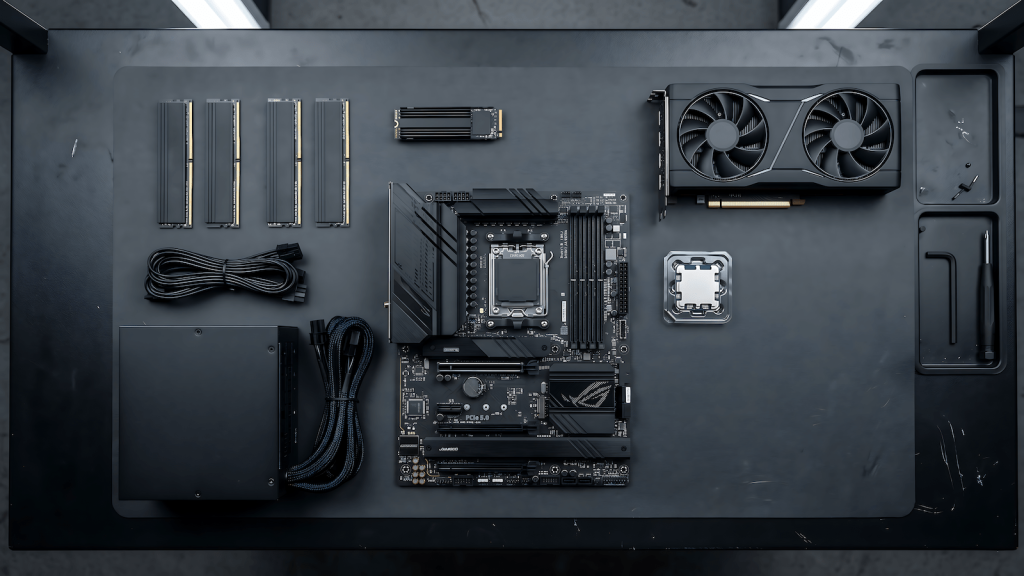
The workload defines the requirements
Before any component is discussed, understand what this machine actually needs to do and why that’s different from a gaming or office build.
Local AI inference keeps the GPU near its TDP continuously. Not for seconds during a load screen, for hours while a model is hot and responding to requests. Every component in the thermal and power chain needs to be sized for that continuous draw, not for the peak spikes a gaming build is designed around.
The inference engine, whether Ollama, llama.cpp direct, or an agent framework like OpenClaw, runs alongside everything else you’re doing. Your development environment is open. Your browser is running. Your game might be running. The machine needs enough headroom in CPU cores, system RAM, and thermal capacity to handle all of that simultaneously without any workload stealing resources from the others.
Model files are large. A 7B model at Q4 quantization is 4 to 5GB. A 70B model at Q4 is 40GB. The storage system needs to load those files fast enough that switching models doesn’t feel like waiting for a kettle to boil. Once the model is in VRAM, storage speed is irrelevant. But cold load times matter for workflow.
VRAM is a hard constraint, not a soft one. If the model doesn’t fit in VRAM it offloads layers to system RAM and inference slows by 5 to 20 times. There is no workaround for insufficient VRAM other than a smaller model or a smaller quantization level. Every other component decision exists to support VRAM utilization.
These four engineering facts, sustained thermal and power load, concurrent workload headroom, fast model loading, and VRAM as the hard ceiling, define every requirement in every tier below.
Reading the tiers
The three tiers are defined by inference workload, not by price bracket. Identify what you need to run. The component requirements and the cost follow from that.
Tier 1 is for 7B to 13B models. Personal productivity, content workflows, running OpenClaw or a similar agent framework with a local backend, development work, daily use, and gaming on the same machine.
Tier 2 is for 13B to 30B models with multi-model switching and heavier concurrent workloads. Agent pipelines running hot while you’re actively working. More RAM, more VRAM, more sustained headroom across every component.
Tier 3 is for 70B models running fully in VRAM with no compromise on context length or inference speed. Concurrent heavy workloads across the board. The machine where you stop managing constraints entirely.
Component requirements: what this workload actually needs
These are the engineering requirements for every tier, with reasoning. Apply them to whatever hardware is available to you.
VRAM is the primary GPU spec for this workload. Architecture generation and tensor cores matter for inference speed but not for whether the model runs at all. A card with more VRAM on an older architecture will outperform a newer card with less VRAM for inference workloads where the model exceeds the smaller card’s capacity. Check VRAM first, architecture second, price third.
The CPU handles orchestration, not inference. 6 to 12 cores on a current platform with good sustained multi-thread efficiency is the requirement. The CPU is running your OS, your agent framework, your development tools, and everything else simultaneously while the GPU handles the inference math. AM5 platform is the practical choice for upgrade longevity through at least 2027 without changing the board.
The motherboard requirement for this workload is a VRM rated for sustained CPU TDP draw, two M.2 slots minimum, four DIMM slots, and PCIe 4.0 x16 for the GPU. That’s the entire functional spec. You’re not overclocking. A board that meets these requirements at a lower price is a better engineering decision than one that meets them at a higher price with features this build doesn’t use.
RAM minimum is 32GB at Tier 1 and 64GB at Tier 2 and 3. Speed matters at Tier 2 and 3 because RAM bandwidth determines how fast CPU layer offloading runs when VRAM overflows. DDR5 at 6000MHz is the functional target at those tiers, not an enthusiast purchase.
Storage is one NVMe Gen4 drive for OS and active models. Gen4 is the minimum for fast model loading. A secondary SATA SSD for cold model storage is cheaper per gigabyte and adequate for files you’re not actively switching between.
PSU sizing for this workload uses sustained GPU TDP, not peak gaming TDP. Add 150W for the rest of the system, then add 20 percent headroom. This produces a higher PSU requirement than a gaming build at the same GPU tier because the load profile holds instead of spiking and dropping.
CPU cooling for this workload is sized for sustained orchestration load, not overclocking peaks. A quality tower air cooler handles every CPU in this guide. AIO is justified at Tier 3 if case clearance is an issue or if you’re running a higher core count CPU under heavy concurrent load. Custom water loop is personal preference, not an engineering requirement for this workload.
The case requirement is airflow first. A mesh front panel with unobstructed GPU intake handles sustained thermal output from an inference workload. Pick any case from any brand that puts airflow first.
Tier 1: The capable daily driver
This build runs 7B to 13B models cleanly. It handles OpenClaw with a local model backend, development work, content workflows, and gaming on the same machine without any workload fighting the others.
The picks below are examples that meet the spec. If your preferred brand makes a component that meets the same minimum spec at a similar or better price, that’s the right component for your build.
| Component | Minimum Spec | Pick 1 | Pick 2 |
|---|---|---|---|
| GPU | 12GB VRAM, CUDA capable | RTX 3060 12GB | RTX 4060 Ti 16GB |
| CPU | 6 core / 12 thread, AM5, current gen | AMD Ryzen 5 7600 | AMD Ryzen 5 7500F |
| Motherboard | B650 AM5, solid VRM for sustained CPU TDP, 2x M.2, 4x DIMM, PCIe 4.0 x16 | Gigabyte B650 Gaming X | MSI PRO B650-P |
| RAM | 32GB DDR5-5600, 2x16GB dual channel | Corsair Vengeance 32GB DDR5-5600 | Kingston Fury Beast 32GB DDR5-5600 |
| Storage | 1TB NVMe Gen4 | WD Black SN850X 1TB | Samsung 990 Pro 1TB |
| PSU | 550W minimum, 80+ Gold, sustained rated | Seasonic Focus GX-650 | Corsair RM650x |
| CPU Cooler | Tower air cooler, 150W+ TDP rated | Noctua NH-D15 | Thermalright Peerless Assassin 120 SE |
| Case | Mesh front panel, direct GPU airflow | Fractal Design Pop Air | Lian Li Lancool 216 |
Estimated total: $750 to $950 depending on GPU market at time of build.
What it runs: Any Q4 quantized model under 12GB. Full practical 7B to 13B stack. OpenClaw with a local 7B backend running content workflows without hitting a ceiling. Dev work and 1080p gaming without thermal competition between workloads.
For a breakdown of which models fit which VRAM tiers and how quantization affects your options, best local AI models for your GPU covers that in detail.
Tier 2: The serious build
This build runs the full practical model stack for 2026. 13B to 30B models cleanly, multi-model switching without reloading Ollama, agent pipelines staying hot while you work, and enough headroom that the machine never chooses between inference and everything else running alongside it.
The GPU decision at this tier is an honest engineering tradeoff. 16GB VRAM on current architecture handles the full practical stack at Q4 with context headroom and delivers better gaming performance. 24GB VRAM on a previous generation used card runs the same models fully in VRAM with no layer offloading, at lower gaming performance. For inference as the primary workload, 24GB older architecture is the better engineering call. If gaming performance matters equally, 16GB current architecture is the pick. Your workload priority makes the decision.
| Component | Minimum Spec | Pick 1 | Pick 2 |
|---|---|---|---|
| GPU | 16GB current gen or 24GB previous gen | RTX 5070 16GB (New, 16GB) | RTX 3090 24GB (Used, 24GB) |
| CPU | 8 core / 16 thread, AM5, current gen | AMD Ryzen 7 7700 | AMD Ryzen 7 7700X |
| Motherboard | B650 AM5, VRM for 8 core sustained TDP, 2x M.2, 4x DIMM, PCIe 4.0 x16 | MSI PRO B650-P | Gigabyte B650 Aorus Elite |
| RAM | 64GB DDR5-6000, 2x32GB dual channel | Corsair Vengeance 64GB DDR5-6000 | Kingston Fury Beast 64GB DDR5-6000 |
| Storage | 2TB NVMe Gen4 | WD Black SN850X 2TB | Samsung 990 Pro 2TB |
| PSU | 750W minimum, 80+ Gold, sustained rated | Seasonic Focus GX-750 | Corsair RM750x |
| CPU Cooler | Tower air cooler, 150W+ TDP rated | Noctua NH-D15 | Thermalright Peerless Assassin 120 SE |
| Case | Mesh front panel, direct GPU airflow | Fractal Design North | Lian Li Lancool 216 |
Estimated total: $1,200 to $1,500 depending on GPU option and used market pricing.
What it runs: Full 2026 practical model stack. Multi-model switching. Concurrent agent pipelines alongside active dev work. 70B with CPU offloading on Pick 1, fully in VRAM on Pick 2.
Tier 3: The dedicated rig
This build has one engineering objective: remove all inference constraints. 70B models run fully in VRAM. Multiple models stay hot simultaneously. Every workload the machine runs operates at full capacity with nothing waiting on anything else.
The motherboard platform steps up to X670E at this tier for one engineering reason: PCIe lane count. A high-end GPU, multiple NVMe drives at full Gen4 and Gen5 bandwidth simultaneously, and expansion room for a second GPU later without the board becoming the bottleneck. Pick any X670E board from your preferred brand that has a VRM rated for sustained load at the CPU TDP, two M.2 slots at Gen4 and Gen5, four DIMM slots, and PCIe 5.0 x16.
| Component | Minimum Spec | Pick 1 | Pick 2 |
|---|---|---|---|
| GPU | 24GB VRAM, current gen preferred | RTX 4090 24GB | RTX 3090 Ti 24GB (used) |
| CPU | 8-12 core AM5, sustained multi-thread efficiency | AMD Ryzen 7 7800X3D | AMD Ryzen 9 7900X |
| Motherboard | X670E AM5, VRM sustained, PCIe 5.0 x16, 2x M.2 Gen4+Gen5, 4x DIMM | ASRock X670E Pro RS | Gigabyte X670E Aorus Pro |
| RAM | 64GB DDR5-6400, 2x32GB dual channel | Corsair Vengeance 64GB DDR5-6400 | G.Skill Trident Z5 64GB DDR5-6400 |
| Primary Storage | 2TB NVMe Gen4 | WD Black SN850X 2TB | Samsung 990 Pro 2TB |
| Secondary Storage | 4TB SATA SSD, model library | Samsung 870 QVO 4TB | Crucial MX500 4TB |
| PSU | 1000W minimum, 80+ Gold, sustained rated | Seasonic Prime GX-1000 | Corsair HX1000 |
| CPU Cooler | Tower air or 240mm+ AIO, 170W+ TDP rated | Noctua NH-D15 | ARCTIC Liquid Freezer III Pro 360 |
| Case | High-airflow mesh ATX, full GPU clearance | Fractal Design Torrent | Lian Li O11 Air Mini |
Estimated total: $2,400 to $2,800.
What it runs: Everything currently achievable on a single consumer GPU. 70B at Q4 fully in VRAM, large context windows, concurrent agent pipelines, heavy development environments, 4K gaming, sustained multimedia. No ceiling you’ll hit in 2026.
The upgrade path
If you build Tier 1 today, upgrade in this order: GPU first when models stop fitting in VRAM. RAM second when inference slows during CPU offloading and VRAM is adequate. Storage last because model load speed is quality of life, not inference performance.
AM5 platform means the CPU upgrades in place. A Ryzen 5 7600 today upgrades to a Ryzen 7 7700 or 7800X3D tomorrow on the same B650 board with a BIOS update. The board doesn’t change until you need X670E lane count for Tier 3.
If you build Tier 2 with a 24GB used GPU, the single upgrade to Tier 3 capability is a GPU swap to a 24GB current generation card and a board swap to X670E. Everything else in that build already meets Tier 3 requirements.
What not to spend on
Liquid cooling on the CPU. Inference is a GPU workload. The CPU handles orchestration, not the inference math. A quality air cooler handles every CPU in this guide under sustained load.
More than 64GB RAM at any tier. Adding RAM beyond 64GB does not improve inference speed. The bottleneck is VRAM. Fix the VRAM ceiling before touching RAM capacity.
A flagship CPU at Tier 1 or 2. The inference bottleneck is VRAM. A higher tier CPU next to insufficient VRAM produces identical inference speeds to a mid-range CPU next to the same GPU. Spend the CPU budget difference on VRAM.
Extra M.2 slots beyond what the build uses. Two M.2 slots handles one OS drive and one model storage drive. A board with five M.2 slots costs more and delivers nothing additional for this workload.
Features that don’t affect the workload. WiFi on a desktop. RGB on any component. Aesthetic case features that restrict airflow. These are personal choices but they’re not engineering requirements and they don’t belong in the build budget before every functional requirement is met first.
The honest summary
You don’t need a server. You don’t need a rack. You need a desktop PC engineered for a workload that most build guides don’t understand because they’re written for gaming benchmarks or enterprise procurement.
The engineering approach means your build works at the spec it needs to work at, costs what it needs to cost, and doesn’t pay for features that look good but don’t produce a single additional token per second. Someone else can build the fashion PC. You’re building the one that runs.
For getting Ollama installed and your first model running on any of these builds, Ollama and LiteLLM local AI setup on Windows covers that step by step. For understanding what the inference engine is doing with your hardware and why VRAM and RAM bandwidth are the real variables, what is llama.cpp is the right read before you start tuning. For how this hardware performs with specific models at each VRAM tier, best local AI models for your GPU has that breakdown. If you want a build that balances local AI with gaming as co-equal priorities, the local AI and gaming PC build guide covers that specific tradeoff.