The FPS Obsession is Killing PC Gaming
Everyone’s searching for “DLSS on GTX 1660” right now because NVIDIA released driver Version 591.86 in January 2026 that enables DLSS on older GTX cards. Tech YouTubers are losing their minds over it. Reddit threads are full of people asking if this will save their aging hardware. Here’s what nobody’s telling you: if your games already run fine with optimized settings, DLSS changes absolutely nothing. And if your games don’t run, DLSS won’t save you.
I’ve been running a vanilla GTX 1660 as my workhorse since 2019. It handles my daily work and I game when I have time. I also have a 4070 Ti desktop and a Legion laptop with a 3050 Ti, so I know what modern performance looks like. I’m not defending old hardware out of desperation, I’m telling you what actually matters after testing DLSS on games I actually play. The answer isn’t what the benchmark chasers want to hear.
When did PC gaming become about staring at FPS counters instead of playing games? I see posts claiming 59 FPS is “unplayable” while 60 FPS is smooth. If you can’t tell the difference without looking at a number, you’re not playing games anymore, you’re measuring them. Back when lag meant waiting three minutes for a boss to load, we dealt with it. Now people complain about milliseconds they can’t even perceive. This obsession with perfect numbers and Ultra settings has completely lost the plot.
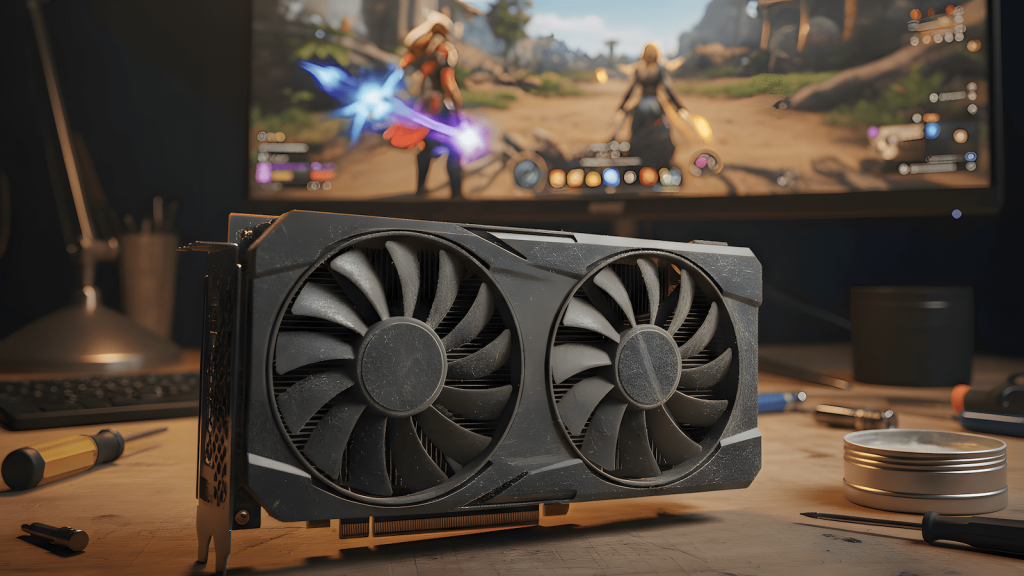
What I Actually Tested and Why It Doesn’t Matter
I tested DLSS on Division 2, Ghost Recon Breakpoint, and Witcher 3. These are games I’ve been playing for years on my GTX 1660. Normally, I don’t run anything on Ultra because that’s stupid. I optimize settings, dropping shadows or fog to low while keeping other things at medium or high. As long as it looks good and plays smooth, I’m happy. For this test, I cranked everything to Ultra to see if DLSS would help.
Ghost Recon Breakpoint runs fine on my 1660 with a mix of medium and high settings. Memory usage sits around 4GB. Gameplay is smooth with occasional dips to the 50s depending on the map. I’ve been playing this game happily for a long time. With DLSS enabled at Ultra settings, I got maybe 5 to 10 FPS more. The Division 2 and Witcher 3 showed similar results. Marginal gains that I literally cannot feel during gameplay.
Here’s the thing: I’ve been playing these games way before this driver update came out. They were already playable. DLSS didn’t unlock anything new. It didn’t make bad performance good. It added single-digit FPS improvements that only matter if you’re staring at MSI Afterburner instead of your actual game. And that’s exactly the problem with how people approach PC gaming now.
I stopped using FPS overlays years ago. I don’t run MSI Afterburner monitoring during gameplay. You know what I do? I play the game, tweak settings if something feels off, run the in-game benchmark if one exists, and optimize for smooth gameplay. If it feels good, it IS good. I don’t need a number to tell me I’m having fun. The moment you start chasing 60 FPS on Ultra in every game is the moment you stop actually enjoying games.
Optimization Beats Hardware Every Time
Witcher 3 is still the best looking game I’ve ever played. Not because of raw graphics specs, but because it’s brilliantly optimized. CD Projekt Red built a game that scales across hardware and still receives updates and patches years later. I can run it beautifully on my GTX 1660 with smart settings. Meanwhile, newer games with technically superior graphics run like garbage because developers assume everyone has the latest hardware.
I have over 100 mods on both Fallout 4 and Skyrim running on this 1660. These games have been my go-to for longer than anything else in my library. There are occasional dips, sure. When I go to Diamond City in Fallout 4, performance drops a bit. But it’s not annoying, it doesn’t pause the game, and it doesn’t ruin my experience. Even on vanilla settings before adding mods, these games ran fine. The dips only bother you if you’re watching an FPS counter instead of playing.
This is what good game development looks like. A well-optimized, well-developed game can stand the test of time. The problem is that marketing and gaming media have blurred the line to the point where everyone thinks they need the latest hardware to play anything. You don’t. You need games that are actually optimized for a range of hardware, and you need to stop forcing Ultra settings on systems that can’t handle them.
The stupidity of the “Ultra or nothing” mentality is that optimization exists for a reason. If you’re forcing your system to run something it fundamentally can’t handle, no amount of software updates, driver patches, overclocking, or undervolting will save you. DLSS isn’t a miracle cure. It’s a tool that works well on hardware designed for it (RTX cards with tensor cores) and does almost nothing on a vanilla GTX 1660.
Why DLSS Doesn’t Matter on Vanilla GTX 1660
DLSS was designed for RTX 2000 series cards and newer. These cards have dedicated tensor cores for AI processing. Your GTX 1660 doesn’t have tensor cores, so the driver is forcing DLSS to run on your standard CUDA cores, the same hardware handling all your game rendering. This is fundamentally inefficient. You’re asking your GPU to do AI upscaling on hardware that wasn’t built for it while also rendering the game.
The 1660 Super and 1660 Ti have more performance headroom and might see better results from DLSS. The older GTX 1070 and 1080 are substantially more powerful and could benefit more. But the vanilla GTX 1660? You’re at the absolute bottom of the performance stack. DLSS adding 5 to 10 FPS means you go from 50 FPS to 55 or 60 FPS in games that were already playable. That’s not a game changer, that’s a rounding error.
Frame Generation, which is the actually impressive DLSS feature, doesn’t work on GTX cards at all. It requires RTX hardware with Optical Flow Accelerators. So you’re getting the most basic version of DLSS, running on inappropriate hardware, delivering imperceptible improvements. Meanwhile, the visual quality takes a hit from upscaling artifacts, and in my testing, the occasional stutters that existed before became MORE noticeable with DLSS enabled.
If you’re playing games that already run well on your 1660 with optimized settings, DLSS is pointless. If you’re trying to play games that genuinely struggle on your hardware, DLSS won’t save you because the base performance is too low. Spider-Man Remastered, a 2022 game, dips and stutters on my 1660 even at the lowest settings. DLSS might add a few frames, but it doesn’t make an unplayable game playable. It just makes a slideshow a slightly faster slideshow.
What Actually Works: Smart Settings and Better Games
AMD’s FidelityFX Super Resolution (FSR) often works better than DLSS on GTX 1660 hardware because it’s designed to run on standard shader cores, not AI-specific hardware. If a game offers both DLSS and FSR, test both and use whichever performs better. NVIDIA’s Image Scaling (NIS) is available in the driver and works on any game, though the quality isn’t as good. But honestly, none of these upscaling technologies matter as much as just optimizing your settings properly.
Drop shadow quality from Ultra to High. You’ll get 10 to 15 percent better performance and you won’t notice the difference unless you’re pixel peeping. Reduce draw distance and level of detail for distant objects you’re not looking at anyway. Disable volumetric fog and god rays. Turn off expensive ambient occlusion like HBAO+. These traditional optimization techniques don’t introduce upscaling artifacts and they’re often more effective than any AI upscaling on hardware that wasn’t designed for it.
Custom resolution scaling through in-game settings works fine too. Render at 85 or 90 percent of native resolution, enable some sharpening, and you’ll get a performance boost without the weird temporal instability and shimmer that aggressive DLSS modes introduce. It’s less fancy than AI upscaling, but it’s predictable and it works.
The real solution is to stop chasing Ultra settings and accept that optimization is part of PC gaming. If you want every game maxed out at 60 FPS minimum, go buy new hardware. If you’re willing to tweak settings and prioritize smooth gameplay over arbitrary visual metrics, your GTX 1660 still has life in it for games that are actually well optimized.
The Honest Truth About Upgrading
The GTX 1660 launched in 2019 for $219. In 2026, it’s a seven-year-old budget card. You’ve survived the RTX 2000 series during the crypto boom, the RTX 3000 series when prices went insane during COVID, the overpriced RTX 4000 series, and now the RTX 5000 launch. If you kept this card through necessity, you made the right call. The GPU market was a disaster for years.
That era is over. GPU prices have stabilized. RTX 4060 cards are around $299 with proper DLSS 3 support and 8GB VRAM. Used RTX 3060 cards with 12GB VRAM are available for $200 to $250. If you’re trying to play 2025 and 2026 releases, particularly demanding open-world games or anything with advanced lighting, your 1660 is fighting a losing battle. DLSS won’t change that.
But if you’re playing games from 2018 to 2022, esports titles, or well-optimized games like Witcher 3, Fallout 4, and Skyrim with mods, you can keep going. DLSS won’t help you, but you don’t need it. Optimize your settings, turn off FPS counters, and actually play your games. The 1660 works fine for this use case.
The decision to upgrade shouldn’t be driven by FOMO or tech YouTubers telling you that you need the latest hardware. Upgrade when the games you want to play don’t run acceptably even with optimized settings. Upgrade when you’re frustrated by performance, not when a benchmark tells you your FPS is five points lower than someone else’s. Upgrade when you need to, not when marketing tells you to.
Stop Min-Maxing and Start Playing
The obsession with overclocking, undervolting, min-maxing temps, and squeezing every last frame out of hardware has turned PC gaming into a performance tuning hobby instead of a gaming hobby. People spend more time tweaking settings and watching monitoring software than actually playing games. This is insane.
One blurry pixel doesn’t matter. Whether a texture is 4K or 2K doesn’t matter if you’re actually engaged in gameplay. Having perfect visual clarity doesn’t mean you’ll be able to play longer or enjoy the game more. In fact, too much brightness and flashing lights can cause nausea and seizures, which is why games have warnings. Comfort and playability matter more than visual perfection.
The real test of hardware longevity isn’t benchmarks, it’s how long you can comfortably play without frustration. If Ghost Recon Breakpoint runs smooth enough that you’re not thinking about performance, your hardware is fine. If you’re having fun in Witcher 3 or Fallout 4 and not noticing stutters unless you look for them, your hardware is fine. Stop looking for problems that don’t affect your actual experience.
DLSS on GTX 1660 is not revolutionary. It’s a minor optimization that adds imperceptible FPS gains in games that already run acceptably and doesn’t fix games that struggle. The tech media is hyping it because they need content. People are searching for it because they want validation that they don’t need to upgrade. Here’s your validation: if your games run and you’re having fun, you don’t need DLSS and you don’t need new hardware.
Conclusion: The HobbyEngineered Take
Install the driver if you want. Enable DLSS in a few games and test it yourself. You’ll probably find the same thing I did: it doesn’t matter. Games that worked still work. Games that didn’t work still don’t work. The 5 to 10 FPS improvement is meaningless in actual gameplay.
The broader point is that PC gaming has lost its way. We’re chasing numbers instead of experiences. We’re optimizing for benchmarks instead of fun. We’re convinced we need Ultra settings and perfect frame pacing when most people can’t tell the difference in a blind test. This is exhausting and it’s missing the point.
Your GTX 1660 has survived seven years and four GPU generations. It’s extracted tremendous value from a $219 investment. Whether you keep it another year or upgrade now depends on the games you actually want to play and whether your current performance frustrates you. Not whether DLSS adds five frames. Not whether some reviewer says 59 FPS is unplayable. Your subjective experience playing actual games.
Stop staring at FPS counters. Stop chasing Ultra settings on hardware that can’t handle them. Stop min-maxing every last degree and frame. Optimize your games, play them, and enjoy them. If DLSS helps, great. If it doesn’t, you’ve lost nothing. But please, for the love of everything, stop treating gaming like a benchmarking hobby and start actually playing your games.
Related Articles:
- PSU Upgrade: Smart or Stupid? – More thoughts on when upgrades actually matter
- Better Airflow, Not Better Fans – Optimization beats throwing money at hardware
- Mechanical Keyboards Maintenance – Making your hardware last